


AutoZen-Car Dashboard&Launcher
4.1252.00 Reviews
App Specs
- Version
- 8.0.10
- Updated On
- License
- Free
- Downloads
- 1,000,000+
- Developer
- ZenThek
- Categories
- Auto & Vehicles
- Platform
- Android
Screenshots
 Analysis by AppCompare
Have you ever found yourself juggling between navigation, music, and calls while driving? Well, I recently stumbled upon an app that seems to promise a smoother ride. Let me introduce you to AutoZen-Car Dashboard&Launcher, an app that aims to be your perfect co-pilot on the road.
Your New Roadside Companion
So, what’s the deal with AutoZen-Car Dashboard&Launcher? It's essentially a dashboard app designed to make your drive more enjoyable and less distracting. The idea is to have everything you need at your fingertips without taking your eyes off the road.
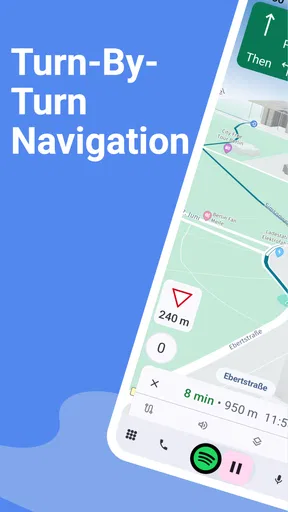
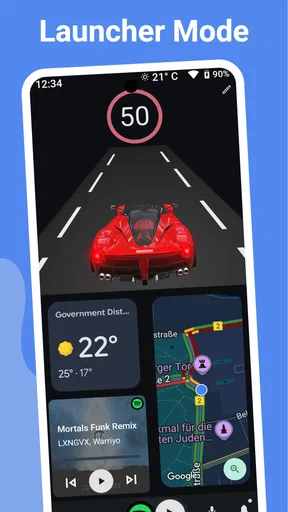
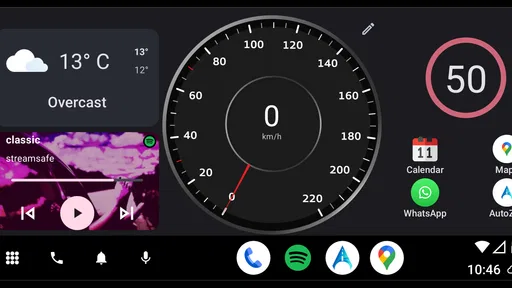
Once you fire up the app, you're greeted with a clean and intuitive interface. Seriously, it’s like your car just got smarter. The main screen displays big, easy-to-tap buttons for navigation, music, and calls. It feels like a digital cockpit, where everything is organized just right.
Navigation That Guides You
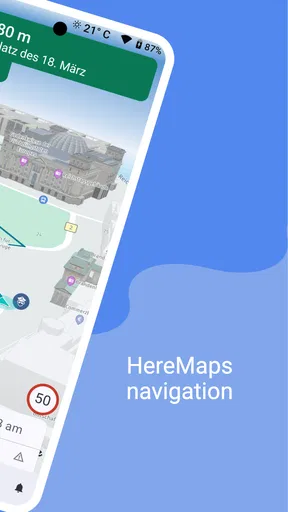
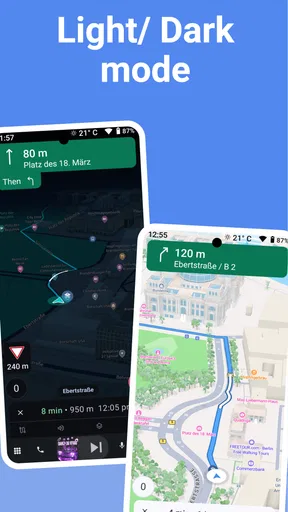
Let’s talk about navigation. I’ve found the navigation feature to be quite reliable. You can choose your preferred map service and get real-time traffic updates. The app integrates seamlessly with Google Maps and Waze, which means you won’t be missing out on any shortcuts or detours. Plus, the voice-guided navigation ensures you’re always on the right path, without having to glance at your phone every few seconds.
Entertainment on the Go
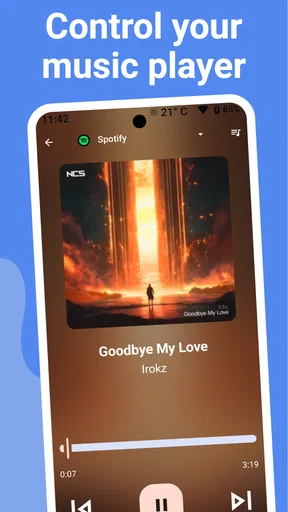
We all know that a good road trip needs a great playlist. Thankfully, AutoZen makes it easy to control your music without the fuss. Whether you're using Spotify, Apple Music, or your library, switching tracks or adjusting volume is a breeze. The app supports a variety of music players, and the integration is smooth, ensuring your favorite tunes are just a tap away.
Taking Calls Without Taking Risks
Handling calls while driving can be a hassle, but not with AutoZen. The app allows you to make or receive calls with simple voice commands. You can even send messages without lifting a finger. I tried it with my Bluetooth headset, and it worked like a charm. This feature keeps your hands on the wheel and your focus on the road, which is exactly where it should be.
Customizable Dashboard
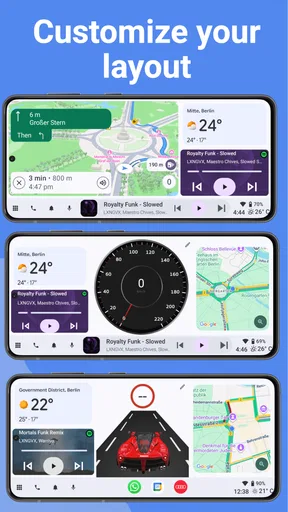
One of the coolest things about AutoZen is the customization. You can tweak the dashboard to suit your needs. Want to add a quick access button for your favorite podcast app? No problem. The app lets you rearrange and personalize your dashboard, so you have quick access to what you use most.
Worth Reading Before You Choose

Flipboard Shows What News Apps Must Do Beyond the Feed

Switching to Android Auto Means Rethinking Your Driving Routine

Google Calendar Makes a Crowded Week Easier to Manage

Ludo King Makes the Most of the Minutes Between Plans

Baby Panda World Brings Quick Play to Modern Phones, but Its Game Library Feels Busy

ESPN’s Live Game View Makes Following Close Games Easier
Safety Features
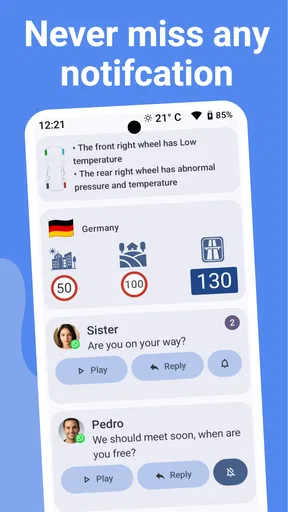
Safety is a big priority for AutoZen. The app includes features like speed alerts and a do-not-disturb mode while driving. These little touches make a big difference, especially if you tend to have a lead foot or get easily distracted by notifications.
There’s also a night mode that automatically adjusts the screen brightness for night driving, reducing eye strain. It’s a thoughtful addition that shows the developers are really considering the user experience.
Final Thoughts
All in all, AutoZen-Car Dashboard&Launcher is a must-try if you're looking to enhance your driving experience. It’s like having a personal assistant that knows exactly what you need when you’re behind the wheel. The app is available for download on both Android and iOS, so go ahead and give it a spin.
Whether you’re commuting, road-tripping, or just running errands, AutoZen keeps things smooth and stress-free. Let me know how it works out for you, and safe travels!
Pros
- Intuitive user interface enhances driving focus.
- Customizable widgets for a personalized dashboard.
- Voice commands minimize distraction while driving.
- Seamless integration with navigation and music apps.
- Supports a wide range of Android devices.
Cons
- Limited features in the free version.
- Occasional lag on older devices.
- Requires stable internet for full functionality.
- Ads can be intrusive in the free version.
- Limited customization options for themes.
FAQs for AutoZen-Car Dashboard&Launcher
What features does AutoZen-Car Dashboard & Launcher offer?
AutoZen offers a variety of features designed to enhance your driving experience. It provides a user-friendly interface with easy access to navigation, music, calls, and messages. The app supports voice commands, ensuring hands-free control, and integrates with popular navigation apps. It also offers customizable widgets for a personalized dashboard experience.
Is AutoZen compatible with all Android devices?
AutoZen is designed to work with most Android devices running version 5.0 and above. However, performance may vary based on your device's specifications. It's recommended to check the app's requirements on the Google Play Store to ensure compatibility with your specific device model.
Does AutoZen support offline navigation?
AutoZen itself does not provide offline navigation, but it integrates with third-party navigation apps that may offer offline capabilities. You can link AutoZen to your preferred navigation app, such as Google Maps, which allows for offline map downloads, ensuring seamless navigation even without internet access.
How does AutoZen enhance driving safety?
AutoZen enhances driving safety by providing a distraction-free interface optimized for use while driving. Its voice command feature allows you to control functions without taking your hands off the wheel or eyes off the road. The app's large buttons and clear display make it easier to manage tasks quickly and safely.
Is there a subscription fee for using AutoZen?
AutoZen offers a free version with basic features, but also provides a premium subscription for users seeking additional functionality. The premium version includes advanced features such as additional customization options and ad-free usage. Details on pricing and subscription plans can be found within the app or on the Google Play Store page.


